a free guide
12 Claude skills: every animation style from the reel
Every animation style from the reel. Type one slash in Claude and get the video.
Scroll down for the prompts 👇
4 simple steps
What you’ll get
- 12 skills: map route, newspaper headline, ink painting, exploded keyboard, paper desk, stat chart and 6 more
- Each one renders on your own computer, free, no API key
- Type one line and Claude builds the whole animation
0 of 4 doneNow: Download the 12 skills
Download the 12 skills
Tap the button and save the zip file. It works on macOS and Linux.
Install ffmpeg, Node and Python
Open Terminal, paste this and press Enter. Skip it if you already have them.
Install ffmpeg, Node and Pythonbrew install ffmpeg node pythonUnzip and install
Paste this in Terminal. It unzips the pack and links the 12 skills into Claude Code.
Unzip and installcd ~/Downloads && unzip claude-animation-skills-johnsavage-v3.zip -d ~/ && cd ~/claude-animation-skills && ./install.shTry a style in Claude Code
Open Claude Code, type this line and press Enter. Claude writes the spec and renders the animation.
Try /ink-wash/ink-wash Still water runs deep6 prompts. Pick one.
The 6 styles from the reel · Type the slash command in Claude Code
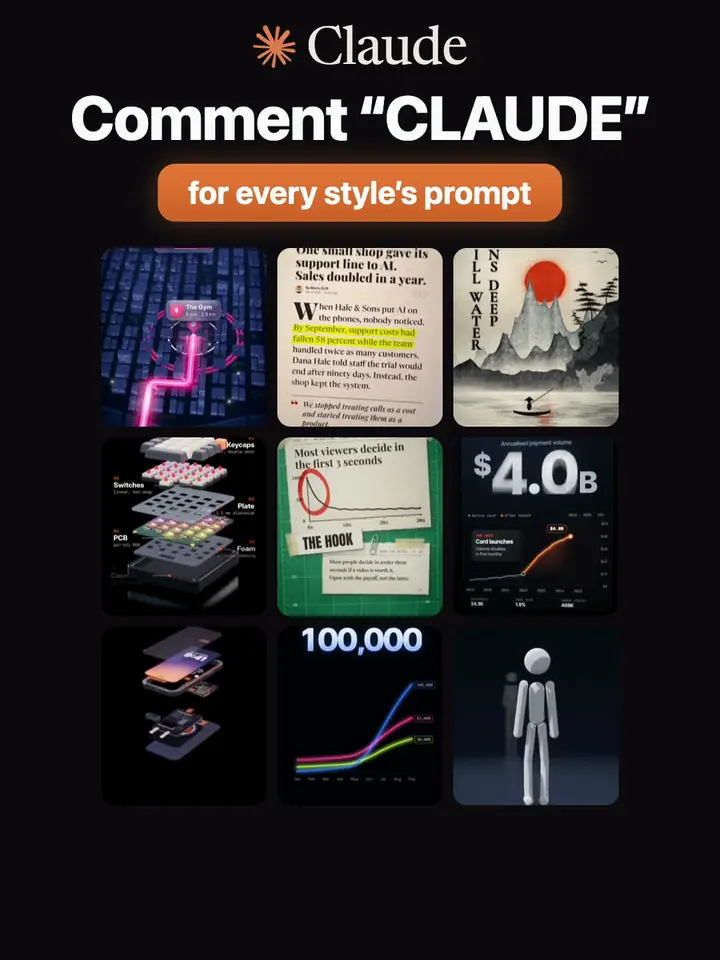
- 1/6/map-routeA 3D city, a route that draws itself
- 2/6/headlineArticle push-in, one line highlighted
- 3/6/ink-washAn ink-painting title card
- 4/6/teardownAn exploded keyboard, every part labelled
- 5/6/paper-deskEvidence on the desk, marked up
- 6/6/stat-chartBig number, chart, one callout
That’s all 6.
- 1/6
You did it
Nice! Now Claude animates anything you type. Send this to a friend who makes reels.
More to try
6 prompts. Pick one.
6 more skills in the same pack · Same install, same way to use them
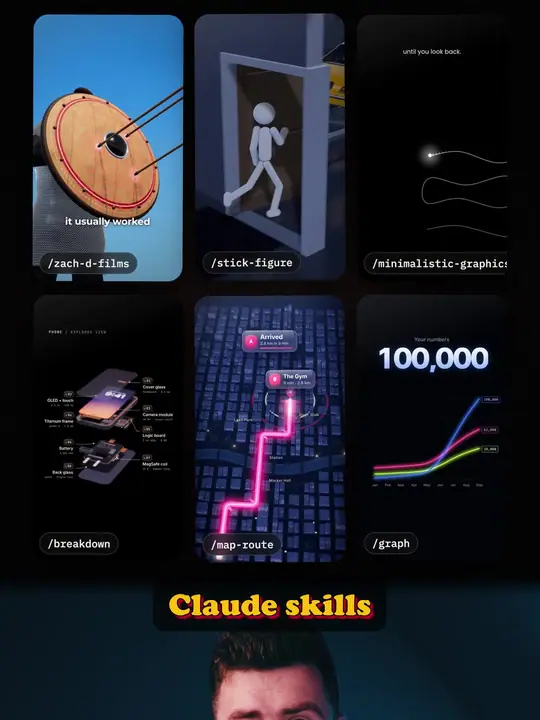
- 1/6/breakdownA 3D exploded phone, piece by piece
- 2/6/graphA laser line chart with one big number
- 3/6/stick-figureA 3D stick man acting out your story
- 4/6/zach-d-filmsA 3D cartoon explainer
- 5/6/minimalistic-graphicsBlack and white line art
- 6/6/stick-figure-cartoonA 2D cartoon stick-figure explainer
That’s all 6.
Good to know
- Each skill renders on your own computer, free, no API key.
- Restart Claude Code after installing so the new slash commands show up.
- The first render takes longer: it downloads a small browser once. After that most styles take 1 to 2 minutes.
- Change the text after the slash to your own words. Claude fits it into the animation.
- The stat chart and the newspaper show example names and numbers until you give Claude your own.
- The stick-figure-cartoon and zach-d-films skills need a free voice. Run ./install.sh --voice once (about 1 GB, downloaded once).
- Based on Artem Novitckii's open-source pack (MIT): github.com/artemnovitckii/claude-animation-skills