a free guide
Buzzy in Chat GPT: 4 skills that turn one photo into video ads
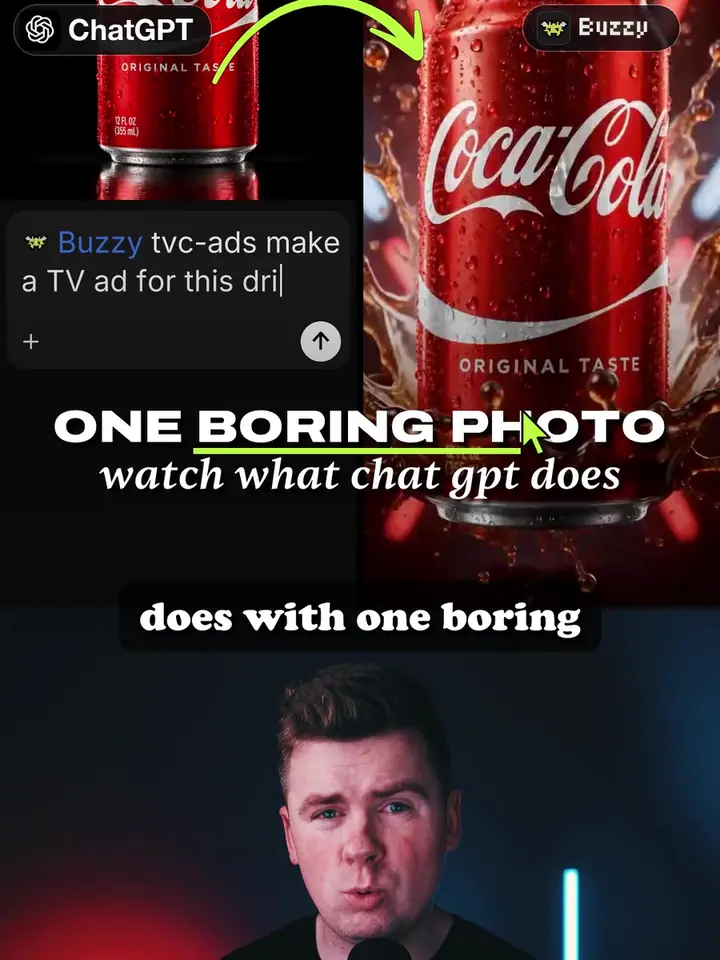
One boring photo in Chat GPT. Four video ads with Buzzy skills.
4 simple steps
What you’ll get
- How to add Buzzy to Chat GPT
- The 4 exact skill prompts from my video
- Where to find more Buzzy skills
Add Buzzy to Chat GPT
Open Chat GPT, go to Apps, search Buzzy, press Install, then Connect and allow access. Make a free Buzzy account if it asks.
Open Buzzy Partner linkAttach your photo and call Buzzy
Start a new chat, attach one photo of your product, then type @Buzzy and pick a skill from the list.
Copy a skill prompt
Press Copy prompt, paste it and send. Swap 'drink' for your product.
TV ad (tvc-ads)@Buzzy tvc-ads make a TV ad for this drink, 9:16, 8 seconds: macro water drops on the can, the can opens, a big cola splash with ice, slow motion, dark studio4 prompts. Pick one.
All 4 skill prompts · Tap to copy. Swap the drink for your product.
- 1/4TV ad (tvc-ads)@Buzzy tvc-ads make a TV ad for this drink, 9:16, 8 seconds: macro water drops on the can, the can opens, a big cola splash with ice, slow motion, dark studio
- 2/4Review video (ugc-ads)@Buzzy ugc-ads make a short review video of this drink, like a real person holding it and talking about it, 9:16, 8 seconds. Use my photo as the product image. Pick the recommended option for every question, do not wait for me.
- 3/4Cartoon (ai-animation)@Buzzy ai-animation make a short fun cartoon where this drink can is the hero, 9:16, 15 seconds. Use my photo as the reference. Pick the recommended option for every question, do not wait for me.
- 4/43D clip (3d-cgi)@Buzzy 3d-cgi make a glossy 3D clip of this drink can, 9:16, 6 seconds. Use my photo as the reference. Pick the recommended option for every question, do not wait for me.
That’s all 4.
- 1/4
Get your video
Buzzy asks a few questions and then makes the video right in the chat. Download it when it's ready.
You did it
Nice! Now make an ad for your own product. Send this to a friend who sells online.
More to try
Good to know
- These are the prompts from my Coca-Cola video. Swap the product and keep the rest.
- If a skill asks you questions, answer them or write: pick the recommended option.
- Buzzy can use several video models, including Seedance 2.5.
More skills
Partner links. This guide uses Buzzy. If you sign up, John may earn a commission or be paid. It costs you nothing.