Put your product on a plain background and take one clear photo. The whole product should be in the picture.
Add it as the product photo
Open Google's Omni video model and add your photo as the product reference. Not as the first frame.
Paste a full prompt
Pick a prompt below, press Copy prompt, change the product name to yours and paste it. The short code on each card is only a name. The full prompt is what makes the video.
You did it
Nice! Now try another prompt with your product, or send this to a friend.
6 prompts. Pick one.
One prompt = one video
Prompt 1 of 6
/robot wakes up
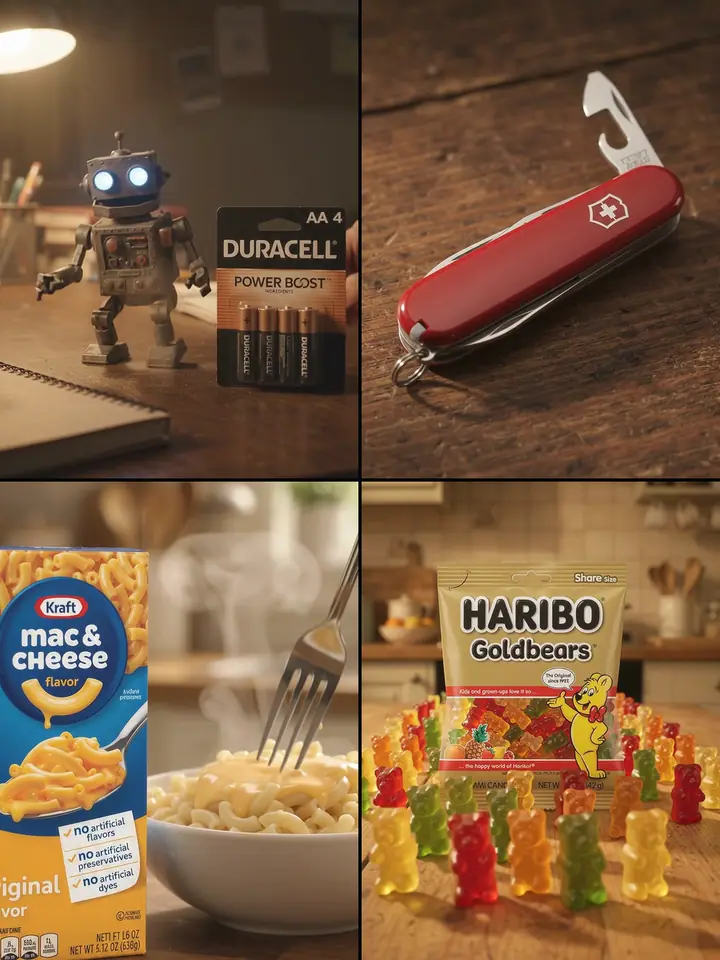
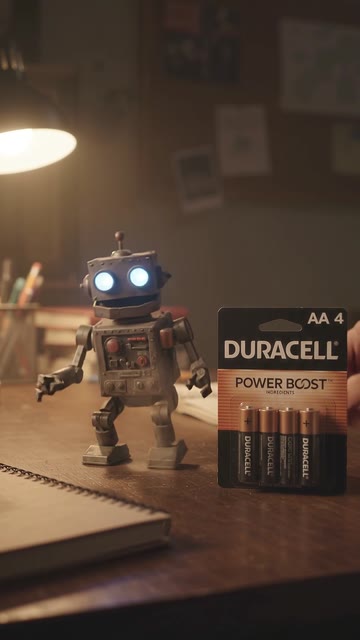
A battery clicks into a toy robot and it wakes up.
Change “Duracell” to your product name
The full promptUse the Google Omni video model (Gemini Omni Flash, Reference to Video). Make ONE 10-second clip, 9:16 vertical, 1080p, with sound. Use the attached image only as the product reference (not as the first frame), do not add anything to the timeline. Prompt: Heartwarming commercial, vertical 9:16, continuous shot. A small dusty toy robot sits lifeless on a wooden desk. Right beside it, big in the foreground, stands this exact Duracell Coppertop AA 4-pack on its card, label facing the camera the whole clip, never swapped for loose batteries. A hand lifts one battery from the card and clicks it into the robot's back; its eyes light up, it jerks to life, stands and waves at the camera. Warm desk lamp light. Keep the pack exactly as in the photo, logo and label text readable. Audio: battery click, small servo whirs, a happy beep, no music, no dialogue.Tap to fold it
Now paste it into the Omni video tool, with your photo attached.
Prompt 2 of 6
/tools unfold
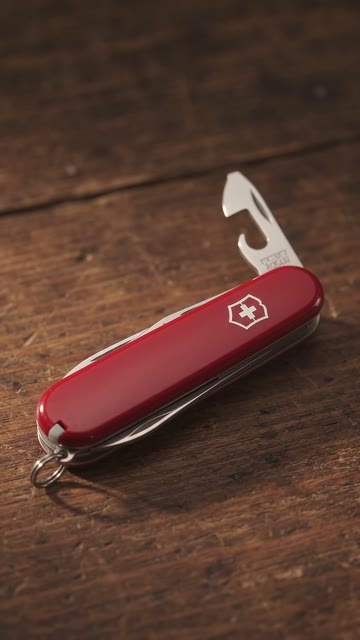
Every blade and tool snaps open, one by one.
Change “Victorinox” to your product name
The full promptUse the Google Omni video model (Gemini Omni Flash, Reference to Video). Make ONE 10-second clip, 9:16 vertical, 1080p, with sound. Use the attached image only as the product reference (not as the first frame), do not add anything to the timeline. Prompt: Product commercial, vertical 9:16, continuous shot. On a dark wooden workbench in warm side light, this exact red Victorinox Swiss Army Knife (red handle, white cross and shield logo) stays big in the foreground the whole clip, logo facing the camera, never swapped for another tool. One by one every blade and tool snaps open and then closes again with a crisp click in a smooth rhythm while the camera pushes in slowly. Keep the knife exactly as in the photo, logo readable. Audio: crisp metal clicks and snaps, soft wood room tone, no music, no dialogue.Tap to fold it
Now paste it into the Omni video tool, with your photo attached.
Prompt 3 of 6
/morning brew
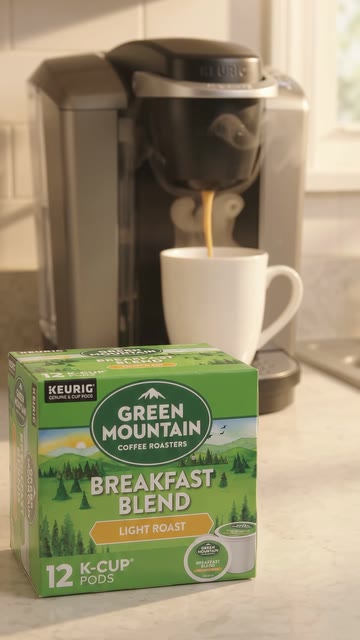
Coffee pours into a white mug with steam and swirls.
Change “Green Mountain K-Cup” to your product name
The full promptUse the Google Omni video model (Gemini Omni Flash, Reference to Video). Make ONE 10-second clip, 9:16 vertical, 1080p, with sound. Use the attached image only as the product reference (not as the first frame), do not add anything to the timeline. Prompt: Coffee commercial, vertical 9:16, continuous shot. On a kitchen counter at sunrise, this exact Green Mountain Breakfast Blend K-Cup box stands big in the foreground the whole clip, label facing the camera, never swapped for other packaging. Behind it a Keurig coffee machine brews: a thick stream of coffee pours into a white mug in slow motion, steam curls up and crema swirls. Keep the box exactly as in the photo, logo and label text readable. Audio: machine hum, brewing gurgle, coffee pouring, no music, no dialogue.Tap to fold it
Now paste it into the Omni video tool, with your photo attached.
Prompt 4 of 6
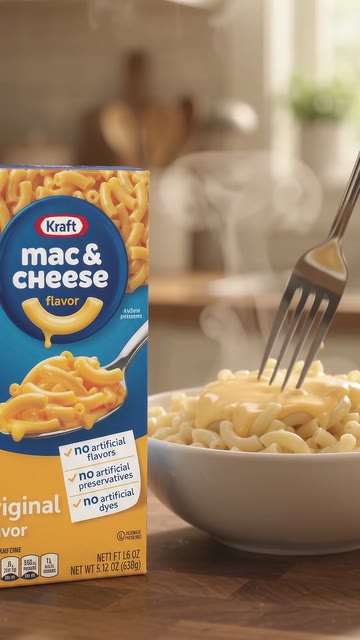
/cheese pull
Cheese sauce pours on macaroni, then a long cheese pull.
Change “Kraft Mac & Cheese” to your product name
The full promptUse the Google Omni video model (Gemini Omni Flash, Reference to Video). Make ONE 10-second clip, 9:16 vertical, 1080p, with sound. Use the attached image only as the product reference (not as the first frame), do not add anything to the timeline. Prompt: Food commercial, vertical 9:16, one single continuous shot with a locked-off camera, no cuts and no scene change. On a kitchen counter in warm light, this exact Kraft Original Mac & Cheese box stands upright and perfectly still in the left foreground the whole clip, label facing the camera, same size all clip, sharp and unchanged. Beside it a bowl of steaming macaroni gets a golden cheese sauce poured over it in slow motion; steam rises and a fork lifts a long stretchy cheese pull toward the camera. Reproduce the box exactly as in the photo, same wording and layout (mac & cheese, original flavor, no artificial flavors, preservatives, dyes), do not invent or duplicate any text, no second box. Audio: pouring, soft sizzle, fork clink, no music, no dialogue.Tap to fold it
Now paste it into the Omni video tool, with your photo attached.
Prompt 5 of 6
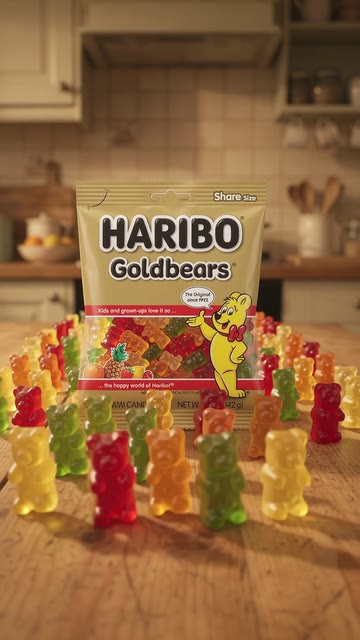
/gummy march
Dozens of gummy bears march toward the camera.
Change “Haribo Goldbears” to your product name
The full promptUse the Google Omni video model (Gemini Omni Flash, Reference to Video). Make ONE 10-second clip, 9:16 vertical, 1080p, with sound. Use the attached image only as the product reference (not as the first frame), do not add anything to the timeline. Prompt: Candy commercial, vertical 9:16, continuous shot, low camera at table height. On a wooden kitchen table in warm light, this exact Haribo Goldbears bag stands upright big in the foreground the whole clip, label facing the camera, never swapped for loose candy. A long dense line of dozens of colorful gummy bears marches out from behind the bag and straight toward the camera across the table, shoulder to shoulder, bouncing in rhythm and getting bigger as they come closer, until they fill the whole table. Keep the bag exactly as in the photo, logo and label text readable. Audio: soft squishy pats, tiny marching steps, no music, no voices.Tap to fold it
Now paste it into the Omni video tool, with your photo attached.
Prompt 6 of 6
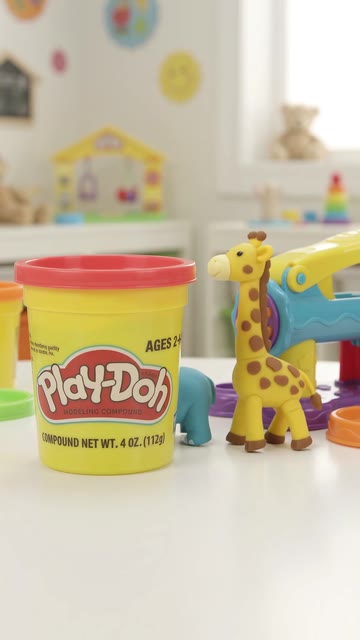
/dough zoo
Play-Doh turns into little animals that walk away.
Change “Play-Doh” to your product name
The full promptUse the Google Omni video model (Gemini Omni Flash, Reference to Video). Make ONE 10-second clip, 9:16 vertical, 1080p, with sound. Use the attached image only as the product reference (not as the first frame), do not add anything to the timeline. Prompt: Kids toy commercial, vertical 9:16, continuous shot. On a bright playroom table, this exact Play-Doh single can (red lid, yellow can) stands big in the foreground the whole clip, label facing the camera, never swapped for other packaging. Beside it colorful dough squeezes out of a toy press and forms little animals (elephant, giraffe, snake) one after another that wiggle to life and walk across the table. Keep the can exactly as in the photo, logo and label text readable. Audio: soft squish, pop, tiny footsteps, no music, no dialogue.Tap to fold it
Now paste it into the Omni video tool, with your photo attached.
That’s all 6.
Use the Google Omni video model (Gemini Omni Flash, Reference to Video). Make ONE 10-second clip, 9:16 vertical, 1080p, with sound. Use the attached image only as the product reference (not as the first frame), do not add anything to the timeline. Prompt: Heartwarming commercial, vertical 9:16, continuous shot. A small dusty toy robot sits lifeless on a wooden desk. Right beside it, big in the foreground, stands this exact Duracell Coppertop AA 4-pack on its card, label facing the camera the whole clip, never swapped for loose batteries. A hand lifts one battery from the card and clicks it into the robot's back; its eyes light up, it jerks to life, stands and waves at the camera. Warm desk lamp light. Keep the pack exactly as in the photo, logo and label text readable. Audio: battery click, small servo whirs, a happy beep, no music, no dialogue.Use the Google Omni video model (Gemini Omni Flash, Reference to Video). Make ONE 10-second clip, 9:16 vertical, 1080p, with sound. Use the attached image only as the product reference (not as the first frame), do not add anything to the timeline. Prompt: Product commercial, vertical 9:16, continuous shot. On a dark wooden workbench in warm side light, this exact red Victorinox Swiss Army Knife (red handle, white cross and shield logo) stays big in the foreground the whole clip, logo facing the camera, never swapped for another tool. One by one every blade and tool snaps open and then closes again with a crisp click in a smooth rhythm while the camera pushes in slowly. Keep the knife exactly as in the photo, logo readable. Audio: crisp metal clicks and snaps, soft wood room tone, no music, no dialogue.Use the Google Omni video model (Gemini Omni Flash, Reference to Video). Make ONE 10-second clip, 9:16 vertical, 1080p, with sound. Use the attached image only as the product reference (not as the first frame), do not add anything to the timeline. Prompt: Coffee commercial, vertical 9:16, continuous shot. On a kitchen counter at sunrise, this exact Green Mountain Breakfast Blend K-Cup box stands big in the foreground the whole clip, label facing the camera, never swapped for other packaging. Behind it a Keurig coffee machine brews: a thick stream of coffee pours into a white mug in slow motion, steam curls up and crema swirls. Keep the box exactly as in the photo, logo and label text readable. Audio: machine hum, brewing gurgle, coffee pouring, no music, no dialogue.Use the Google Omni video model (Gemini Omni Flash, Reference to Video). Make ONE 10-second clip, 9:16 vertical, 1080p, with sound. Use the attached image only as the product reference (not as the first frame), do not add anything to the timeline. Prompt: Food commercial, vertical 9:16, one single continuous shot with a locked-off camera, no cuts and no scene change. On a kitchen counter in warm light, this exact Kraft Original Mac & Cheese box stands upright and perfectly still in the left foreground the whole clip, label facing the camera, same size all clip, sharp and unchanged. Beside it a bowl of steaming macaroni gets a golden cheese sauce poured over it in slow motion; steam rises and a fork lifts a long stretchy cheese pull toward the camera. Reproduce the box exactly as in the photo, same wording and layout (mac & cheese, original flavor, no artificial flavors, preservatives, dyes), do not invent or duplicate any text, no second box. Audio: pouring, soft sizzle, fork clink, no music, no dialogue.Use the Google Omni video model (Gemini Omni Flash, Reference to Video). Make ONE 10-second clip, 9:16 vertical, 1080p, with sound. Use the attached image only as the product reference (not as the first frame), do not add anything to the timeline. Prompt: Candy commercial, vertical 9:16, continuous shot, low camera at table height. On a wooden kitchen table in warm light, this exact Haribo Goldbears bag stands upright big in the foreground the whole clip, label facing the camera, never swapped for loose candy. A long dense line of dozens of colorful gummy bears marches out from behind the bag and straight toward the camera across the table, shoulder to shoulder, bouncing in rhythm and getting bigger as they come closer, until they fill the whole table. Keep the bag exactly as in the photo, logo and label text readable. Audio: soft squishy pats, tiny marching steps, no music, no voices.Use the Google Omni video model (Gemini Omni Flash, Reference to Video). Make ONE 10-second clip, 9:16 vertical, 1080p, with sound. Use the attached image only as the product reference (not as the first frame), do not add anything to the timeline. Prompt: Kids toy commercial, vertical 9:16, continuous shot. On a bright playroom table, this exact Play-Doh single can (red lid, yellow can) stands big in the foreground the whole clip, label facing the camera, never swapped for other packaging. Beside it colorful dough squeezes out of a toy press and forms little animals (elephant, giraffe, snake) one after another that wiggle to life and walk across the table. Keep the can exactly as in the photo, logo and label text readable. Audio: soft squish, pop, tiny footsteps, no music, no dialogue.
Tested with Google's Omni video model through Async. Results change a little each time.